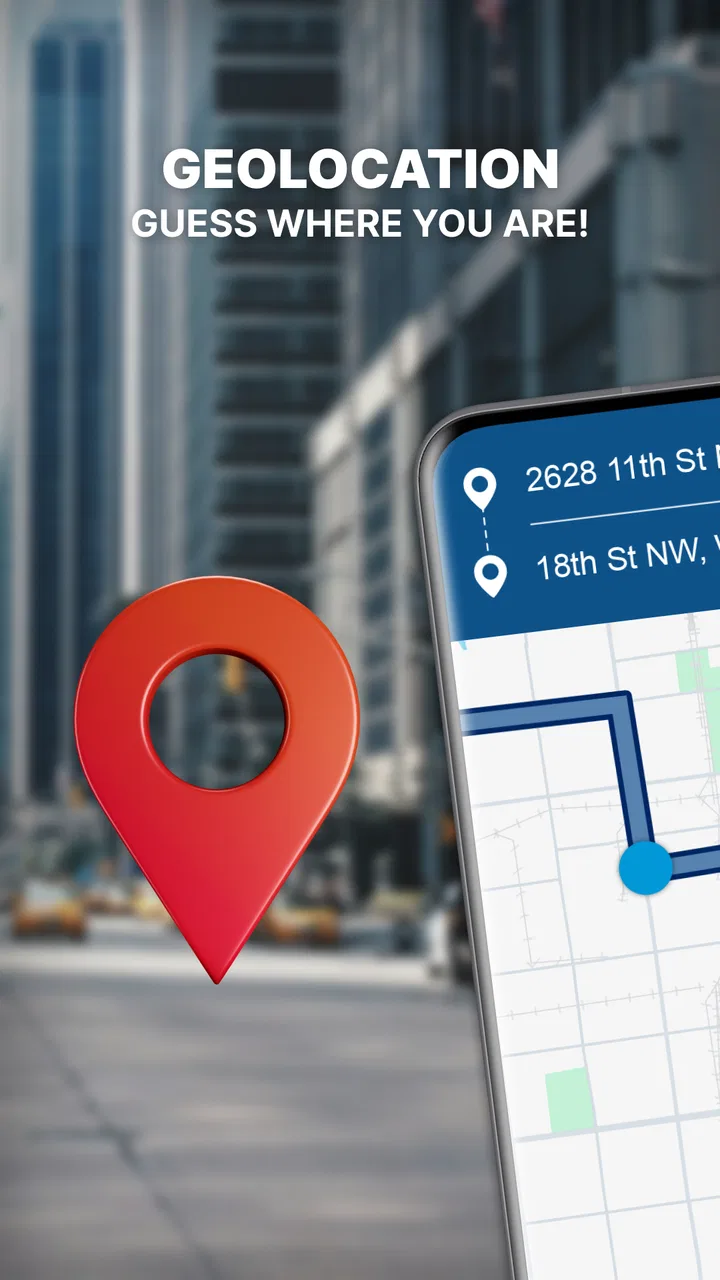
GPS Navigation: Road Map Route
- 4.3
- Rating
- 10.00M
- Installs
- Free
- Price

 Analysis by App-foxy
When I need a straightforward route rather than a complicated travel-planning system, GPS Navigation: Road Map Route is the kind of app I can open without much hesitation. It sits in the Maps & Navigation category and focuses on the basic job most drivers expect: helping me understand where I am, choose a destination, and follow directions while I am on the road. The experience is built around GPS location, map viewing, route guidance, and driving directions rather than a long list of extra services.
My first impression is that this is an app for people who want navigation to feel familiar. I do not have to learn an unusual interface before starting a trip, and the free entry point makes it easy to try on an Android phone. Tech 4 All Apps is the developer behind it, and the app has reached over ten million installs with a 4.3 average from around fifty-five thousand ratings. That level of use suggests it has found an audience among people who want an accessible road map tool rather than a specialist navigation product.
From a destination idea to a road-ready route
I’ll look at how this section turns a destination into a usable plan, including the small checks that can prevent a wrong turn before the car moves. I find that treating route setup as a brief planning step, rather than something to rush through, makes the guidance easier to follow once the road demands my attention.
You May Also Like

 AccuWeather: Weather Radar
AccuWeather Review: A Quick, Clear Forecast for Everyday Decisions
For everyday plans, the best forecast is the one you can understand quickly. AccuWeather makes rain timing, radar, and local conditions easy to act on, with a few trade-offs.

 Hill Climb Racing
Why Hill Climb Racing Still Turns Crashes Into One More Run
A tiny car, a bumpy hill and one more upgrade: Hill Climb Racing keeps resurfacing because its simple chaos makes every near-miss feel personal.

 AliExpress - Shopping App
AliExpress Makes Global Shopping Feel Personal, but Shoppers Bear the Risk
AliExpress turns a global marketplace into a pocket-sized discovery engine. Its reach is useful, its shopping loop compelling, and its trade-offs easy to miss.

 Lords Mobile: Kingdom Wars
Lords Mobile Is a Kingdom-Building Routine, Not a Quick Match
A case-by-case verdict on the building, battles, device demands, and social commitments that make Lords Mobile rewarding for some players and exhausting for others.

 PDF Scanner app - TapScanner
TapScanner Makes Paperwork Easier to Capture, Check, and Share
TapScanner makes scanning with a phone feel less like a rescue operation and more like a dependable step in getting work done. Its capture tools are useful, though not flawless.

 Block Blast!
 Shows How Much a Puzzle Game Can Leave Out
A quiet grid game shows why puzzle players increasingly value instant clarity, repeatable skill and low-pressure play—and where the genre still needs to catch up.
More From Our News Desk
View All News


Beginning with the actual travel problem
A useful way to judge this app is to start with a realistic situation. Imagine I am leaving work to visit a friend in another part of town. I know the general neighborhood, but not the best turns, and I do not want to keep stopping to check a static map. I open the app, look at my current position, and use the map as the first point of orientation. That initial view matters because it tells me whether the GPS has placed me where I expect and whether the surrounding roads look familiar.
From there, I enter the destination and move from a vague plan to a route I can follow. The important handoff is between my intention and the app's map: I provide the place, while the app turns it into driving guidance. This sounds simple, but it is where navigation apps often become frustrating. A route can be technically correct yet difficult to understand if the map is crowded, the destination is ambiguous, or the next turn is not obvious.
GPS Navigation: Road Map Route works best when I treat it as a driving assistant, not as a replacement for my own attention. Before moving, I check the general direction and make sure the endpoint is the place I actually mean. That small pause is especially useful for businesses with several branches, large buildings with multiple entrances, or addresses that sit beside parallel roads. A navigation app can guide a vehicle toward a location, but I still need to recognize the final approach.
Following the route without overcomplicating the trip
Once the route is ready, the app's value comes from keeping the journey understandable. I prefer to glance at the map before setting off, identify the first major turn, and then let the active guidance handle the sequence. This creates a practical rhythm: check the next decision, drive, confirm the turn, and repeat. It is less stressful than trying to memorize the entire route at once.
One useful habit is to use the wider map view before departure and a closer view once I am moving through unfamiliar streets. The wider view helps me understand how the trip fits together, while the closer view is better for immediate decisions. Switching mentally between those two perspectives is more helpful than staring at the screen continuously. The safest workflow is to prepare while parked and use the app for brief driving checks, not constant screen watching.
The app's emphasis on smart directions and road driving maps makes sense for ordinary car journeys. It is a reasonable fit for commuting, visiting a new neighborhood, finding a meeting point, or getting through an unfamiliar section of a city. I would also use it as a backup when I already know most of a route but want help with the last part. In that situation, the map is not doing all the thinking for me; it is reducing the chance of missing one important turn.
What I would check before leaving
Before relying on the route, I would confirm three things. First, the location marker should match my real position. If it is still settling, I would wait rather than start driving immediately. Second, I would inspect the destination on the map instead of trusting the name alone. Third, I would look at the route's broad shape so that an unexpected turn does not catch me completely off guard.
This preparation is also where I decide whether the app is appropriate for the journey. For a short local drive, its direct approach is convenient. For an unfamiliar long-distance trip, I would want to spend more time checking the route and keeping another source of information available. The app can provide directions, but a responsible driver should not assume that a digital route understands every temporary road condition, private access road, or unusual entrance.
The handoff between phone, driver, and destination
Navigation is never only an interaction between a person and an app. There is a handoff from the phone to the driver, from the driver to the road, and finally from the route to the destination itself. GPS Navigation: Road Map Route is most useful when each handoff is deliberate. I enter the destination carefully, review the route, follow the next instruction, and then take over when I reach the final streets.
That last stage deserves attention. Arriving near a destination is not always the same as arriving at the correct entrance. If I am meeting someone at a shopping area, office complex, or large public place, I use the map to get close and then compare the surroundings with what I can see. This avoids the common mistake of following a route perfectly but stopping on the wrong side of a divided road or at a rear service entrance.
Another practical handoff happens when someone else is in the car. A passenger can check the broader map and help confirm the next turn, while the driver concentrates on traffic. If I am alone, I prepare more thoroughly before departure and avoid making destination changes while moving. The app does not remove the need for good driving habits; it works better when those habits are part of the workflow.
Where it compares well with familiar alternatives
Compared with a paper map, the obvious advantage is that this app connects the map to my current GPS position and turns a route into active guidance. I do not need to estimate where I am after every turn. Compared with a general-purpose map service, its appeal is its narrower focus: I can approach it as a road navigation tool instead of sorting through a large ecosystem of listings, reviews, transport options, and other information.
That narrower focus can be a benefit when I want less distraction. It can also be a limitation when the journey depends on information beyond the route itself. A broader mapping platform may be preferable if I need extensive place details, public transit planning, business discovery, or a large community layer around traffic and local conditions. GPS Navigation: Road Map Route makes more sense when the central question is, “How do I drive there?” rather than, “What can I do around there?”
I would also distinguish it from dedicated navigation systems built into vehicles. A built-in system may be more convenient when it is integrated with the car's display and controls. This app is more flexible because it lives on a phone and can be used across vehicles, but that flexibility means I need to think about safe mounting, visibility, battery use, and how easily I can hear or see instructions. The best choice depends on whether I value portability or deeper vehicle integration.
Small practices that make the app more useful
One of my preferred techniques is to plan the route in two layers. I first identify the destination and the main direction, then I focus only on the next meaningful road decision. This prevents the map from becoming mentally overwhelming. It is especially helpful in dense areas where several minor streets appear close together and the screen can contain more information than I can process while driving.
A second technique is to treat the final approach as a separate mini-trip. When I am within a short distance of the destination, I slow down mentally and look for the actual entrance, building position, or side of the road. This is a non-obvious but important trade-off: the app may have done its main job by bringing me near the address, yet the last few moments often require more human judgment than the earlier part of the route.
A third is to use the app as a confirmation tool on familiar routes. I do not need to follow every instruction blindly when I already know the roads. Instead, I can use the GPS position to verify that I am still on the intended path and rely on the route when the journey leaves familiar territory. This makes the app less intrusive and helps me retain awareness of the road.
For people who share driving duties, another useful workflow is to agree on the destination before the trip begins. The person entering the location should confirm the exact place with the driver, especially when several locations have similar names. That simple handoff prevents a surprisingly common failure: the app follows the wrong destination accurately because the wrong destination was selected.
What the free model means in everyday use
The app is free to download, which lowers the barrier for occasional drivers and anyone testing a new navigation option. It also carries in-app purchases ranging from $2.49 to $69.99 per item. I would therefore look at the free experience first and decide whether any optional purchase genuinely improves my own routine before spending money. The presence of purchases does not automatically make the app poor value, but it is worth remembering that “free” and “completely without optional costs” are not the same thing.
For a person who navigates only a few times each month, the free starting point may be enough. A frequent driver should pay closer attention to how the app fits into daily use and whether optional elements are useful rather than assuming that every paid choice is necessary. I would not buy anything simply because I was about to start an important trip; I would test the normal workflow first, while parked, and make a decision without time pressure.
Device compatibility and the practical setup
The listed minimum operating system is Android 7.0, so the app is aimed at a broad range of Android devices rather than only recent phones. The current version is 4.1.0. In practical terms, I would still check how comfortably the app runs on my particular phone, especially if the device is older or already struggles with several active apps. Navigation is a task where stability matters more than decorative extras.
I would also set up the phone before leaving: secure it where it can be viewed without blocking the road, make sure the screen is readable, and avoid handling it while the car is moving. These are not glamorous details, but they determine whether the app helps or becomes a distraction. A good route is not useful if the driver cannot consult it safely.
Where the workflow can break
The first weak point is destination input. If I choose the wrong result, the app can still produce a perfectly coherent route to the wrong place. I reduce that risk by checking the map position and the surrounding roads before starting. This matters more than simply recognizing a familiar name.
The second weak point is the gap between digital roads and real-world conditions. Construction, closures, restricted access, confusing one-way systems, and temporary changes can make a planned route harder to follow. I treat the displayed guidance as a strong starting point, not as permission to ignore road signs or local instructions. When the physical road disagrees with the screen, the physical road wins.
The third is the final destination. A map route may bring me to the correct address area while leaving the last entrance unclear. I handle that by slowing down, checking the building or road layout, and avoiding sudden maneuvers. This is also why I would hesitate to recommend the app as the only tool for a high-pressure journey where missing an entrance would have serious consequences.
There is also a human limitation: no navigation app can compensate for poor attention. If I am tired, rushed, unfamiliar with the local driving rules, or tempted to keep looking at the screen, I need to change the trip plan rather than expect the app to solve the problem. The application can organize directions, but it cannot make unsafe conditions safe.
Who should choose it and who should look elsewhere
I think this app is a good match for Android users who want a focused GPS navigation tool for ordinary road trips. It suits commuters, occasional drivers, visitors exploring unfamiliar streets, and people who prefer a dedicated map screen over a larger all-purpose platform. The Everyone content rating also makes it broadly approachable for general users, although safe driving behavior still depends on the person behind the wheel.
I would be more cautious about recommending it to someone who needs a complete travel companion with deep local search, transit planning, extensive place information, or advanced trip preparation. That person may be happier with a broader alternative. I would also suggest comparing it with a vehicle's built-in navigation when hands-free integration is the deciding factor.
My overall experience is that GPS Navigation: Road Map Route earns its place by keeping the central task clear: establish a position, choose a destination, follow a road route, and take responsibility for the final arrival. It is not the app I would choose for every kind of travel problem, but it is a sensible option when direct driving guidance is the main need.
After using it, I would recommend starting with a familiar short trip, learning how the map presents the route, and only then trusting it for a more demanding journey. That approach reveals whether the display and guidance suit your habits without adding pressure. The app's strongest quality is its accessibility, while its main weakness is that the simple workflow still requires careful destination checking and real-world judgment.
For me, that balance makes it worth trying. It is free to start, supported on older Android versions, and widely used, yet it should be treated as a helpful road companion rather than an unquestionable authority. If your goal is clear, practical directions from your current location to a chosen destination, GPS Navigation: Road Map Route is a reasonable choice. If you need a richer travel information system or deeper vehicle integration, another option may serve you better.
FAQs for GPS Navigation: Road Map Route
01What is GPS Navigation: Road Map Route used for?
GPS Navigation: Road Map Route is designed to help users plan journeys, find destinations, and follow turn-by-turn directions while driving. It can be useful for daily commuting, road trips, and exploring unfamiliar areas. Before relying on it, check that your destination, travel mode, and route settings are correct, since directions can vary depending on traffic, map data, and device location accuracy.
02Does GPS Navigation: Road Map Route work without an internet connection?
Offline availability depends on the version of the app and whether map areas can be downloaded in advance. Some navigation features may require an active internet connection for live traffic information, route updates, searches, or map loading. If you plan to travel through areas with weak coverage, test the app beforehand and download any available offline maps instead of assuming every feature will work without mobile data.
03Is GPS Navigation: Road Map Route free to download and use?
The app may be available as a free download, but certain features can include advertisements, optional purchases, subscriptions, or limitations in the free version. These may affect access to advanced route tools, offline maps, voice guidance, or an ad-free experience. Review the store listing and in-app purchase details before downloading so you understand which functions are included at no cost.
04How accurate are the routes and GPS directions?
Route accuracy depends on several factors, including the quality of the app’s map data, your phone’s GPS signal, road closures, traffic conditions, and the availability of current information. In our experience, navigation apps are helpful but should not be treated as infallible. Always follow road signs and local regulations, and verify unusual instructions before making a turn or entering a restricted road.
05What permissions does GPS Navigation: Road Map Route require?
A navigation app generally needs access to your device’s location to provide real-time positioning and turn-by-turn guidance. It may also request permission for notifications, mobile data, Bluetooth, or background location, depending on the features you use. Check the permission prompts carefully and allow only what is necessary. Remember that continuous GPS use can increase battery consumption, especially during long journeys.
Pros
- Clear turn-by-turn directions for everyday driving
- Useful route planning for unfamiliar areas
- Map view makes upcoming roads easy to follow
- Can help compare different routes before starting
- Convenient for trips
- commutes
- and local navigation
Cons
- Accuracy may depend on the quality of available map data
- Some features may require an active internet connection
- GPS use can drain your phone battery quickly
- Traffic information may not always reflect sudden changes
- Long journeys can use significant mobile data

GPS Navigation: Road Map Route
Gallery